With the user concept, you can share all relevant information with internal employees and external partners. A distinction is made between different user groups that have different rights in your company:
- As an administrator (internal employees only) you can view and edit all areas of the company workspace. In particular, you can manage company settings and licenses booked, as well as create and remove new employees or partners. You can also manage all templates for the file manager, schedules and checklists.
- As a user (internal employees only) you can only add new partners and import and use the existing templates in your project.
- As a partner, you can only use existing templates in your project.
The table below gives an overview of the different roles of users and their general rights:
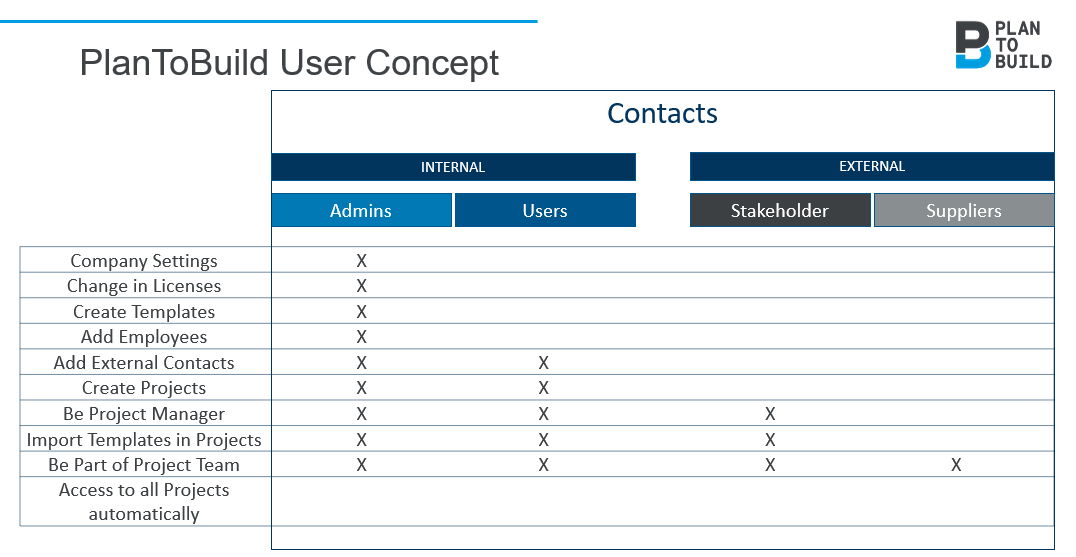
The respective access rights in the project room are defined by the project manager in the authorizations or by administrators in the templates.