January 20, 2022
New functions and extensions:
-
Adding non-specific resources (assets) to the group templates
-
Additional column for notes or descriptions next to the task title column in the schedule
-
A0 format and general improvements when exporting a schedule to PDF
-
New Gantt view in the schedule and ability to show or hide all columns in the schedule
Details:
-
The cross-project functions "Dashboard" and "Workflows" with the sub-functions To Dos, Meeting Minutes and Notes will be moved to the "Multi-Project- Management" workspace
-
Adding non-specific resources (assets) to the group templates
-
Additional column for notes or descriptions next to the task title column in the schedule
-
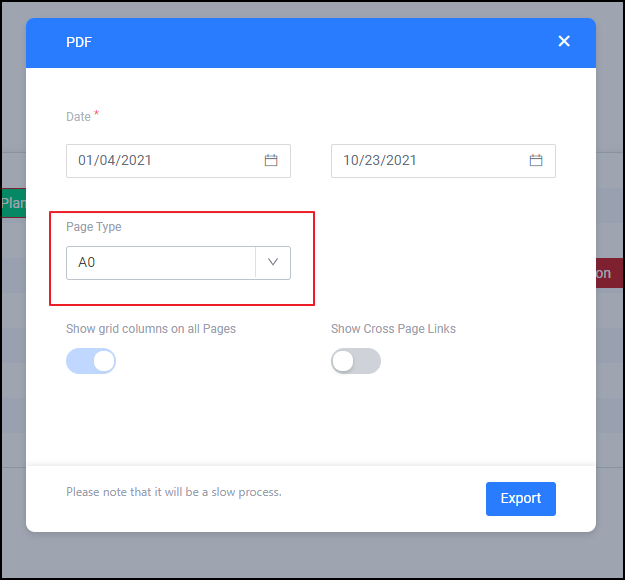
A0 format and general improvements when exporting a schedule to PDF
-
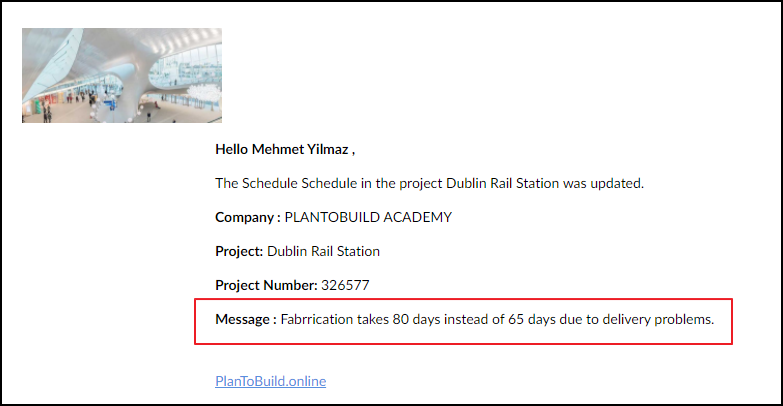
Note function when an email notification is being sent because of a schedule change
Now everyone who has access to the schedule will receive the additional information in the email notification.
-
Improvements when sharing a folder for recipients
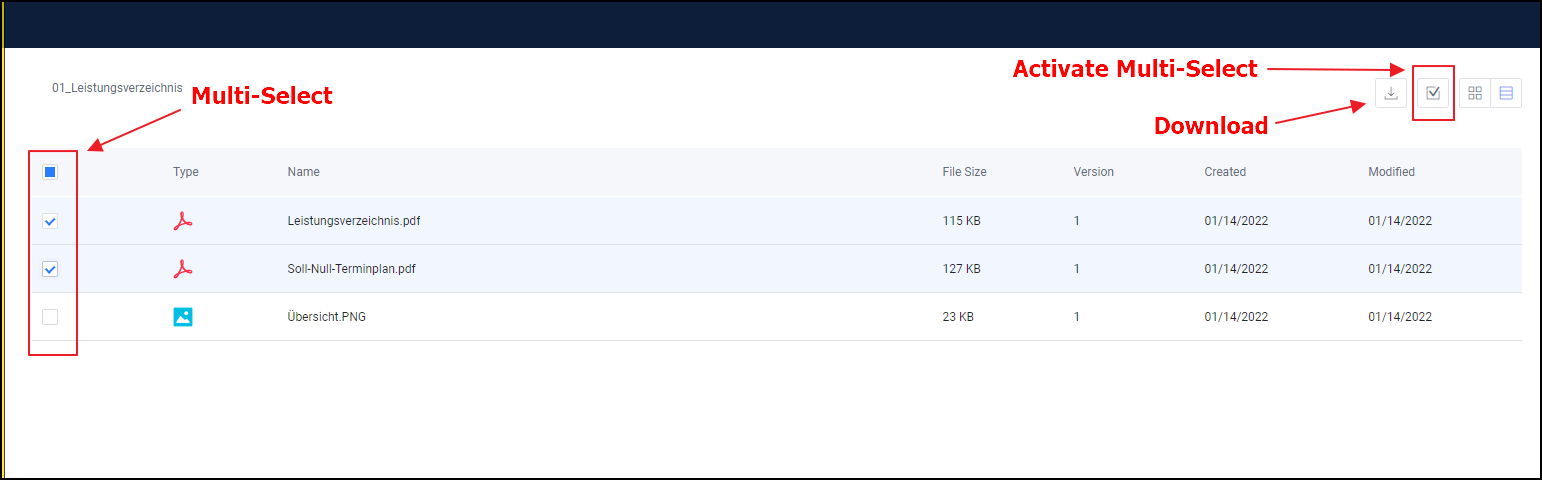
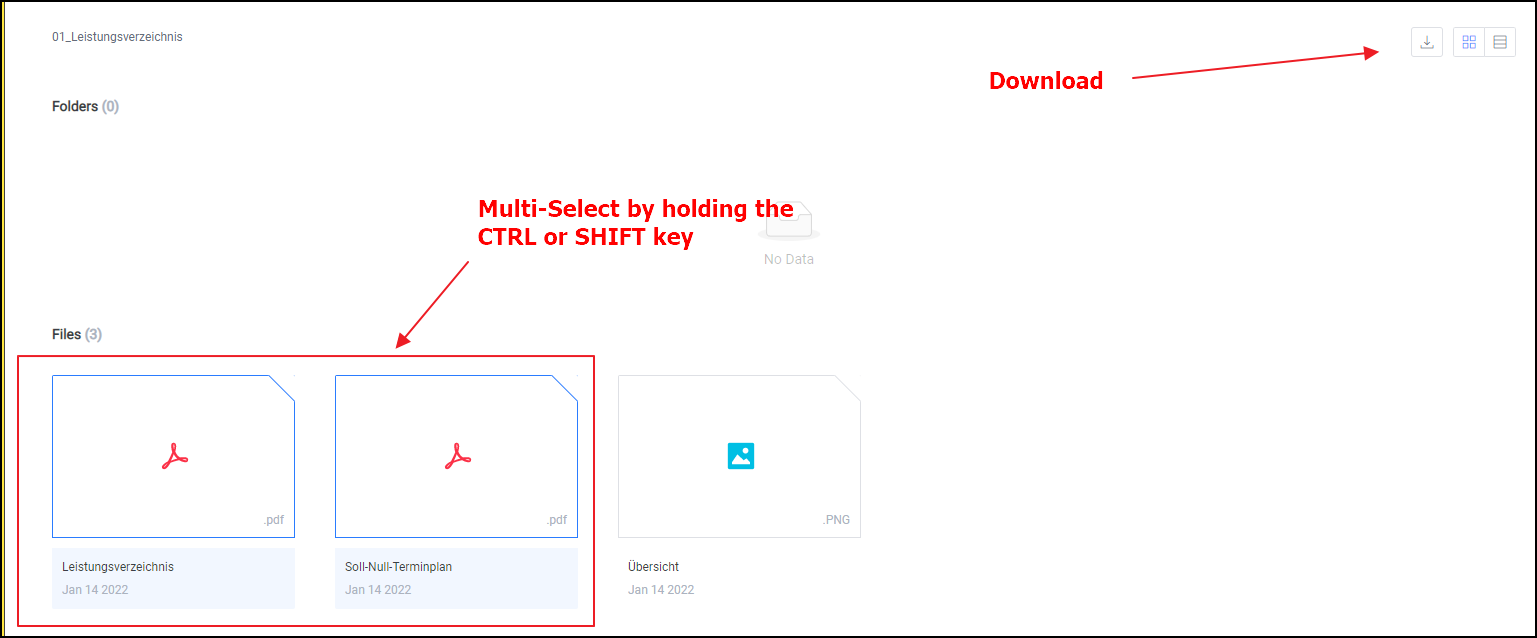
It is now also possible to download individual files of a shared folder.
In the tile view, multiple files can be selected by holding the CTRL or SHIFT key and then downloaded by clicking on the download button.
In the list view:
In the grid view:
-
Checkbox as further formatting in the checklists
It is now possible to include a checkbox in checklists. This gives you even more options for reporting the status of elements.
-
New Gantt view in the schedule and ability to show or hide all columns in the schedule
It is now possible to show and hide all columns in the schedule and save them in your cookies so that you always get the view of the schedule you want. In addition, another view can be selected: "Gantt". This automatically hides all columns and only shows the visualized schedule.