Without detours: Create and edit Office files (Word, Excel, PowerPoint) directly online.
To use the Office 365 connection, you need a Office 365 license.
Furthermore you need read and Write permissions for the
corresponding file in PlanToBuild.
Soon you will be able to find the training video for the article here.
Click path:
- Workspace Coordination > Select project > Files
- Create a file by clicking on "Add"
- Edit Office files by opening the file in the file viewer and clicking Open in Word on the web in the upper right corner. After editing the file in Office 365, a new version of the file is created in PlanToBuild. Open the file again in PlanToBuild to see the newly created version.
- For information on which features of the Office applications can and cannot be used online, click this link.
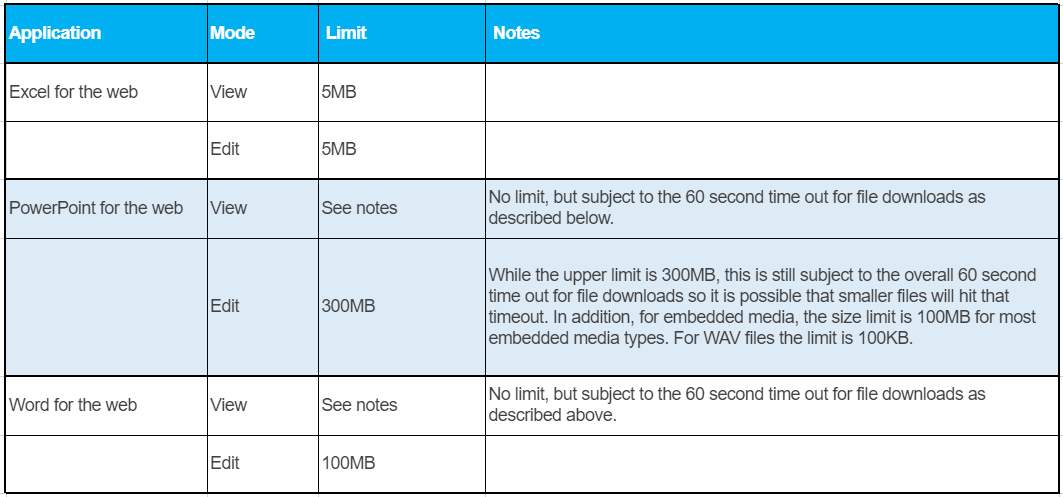
- Also note the maximum file sizes for viewing and editing: